In this guide you will understand how 'Medical Alerts' in Cliniko activate 'Workflows' in Autopilot.
Overview
Medical Alerts activate workflows in Autopilot so that you can recall and reactivate your patients and also restrict their communication if needed.
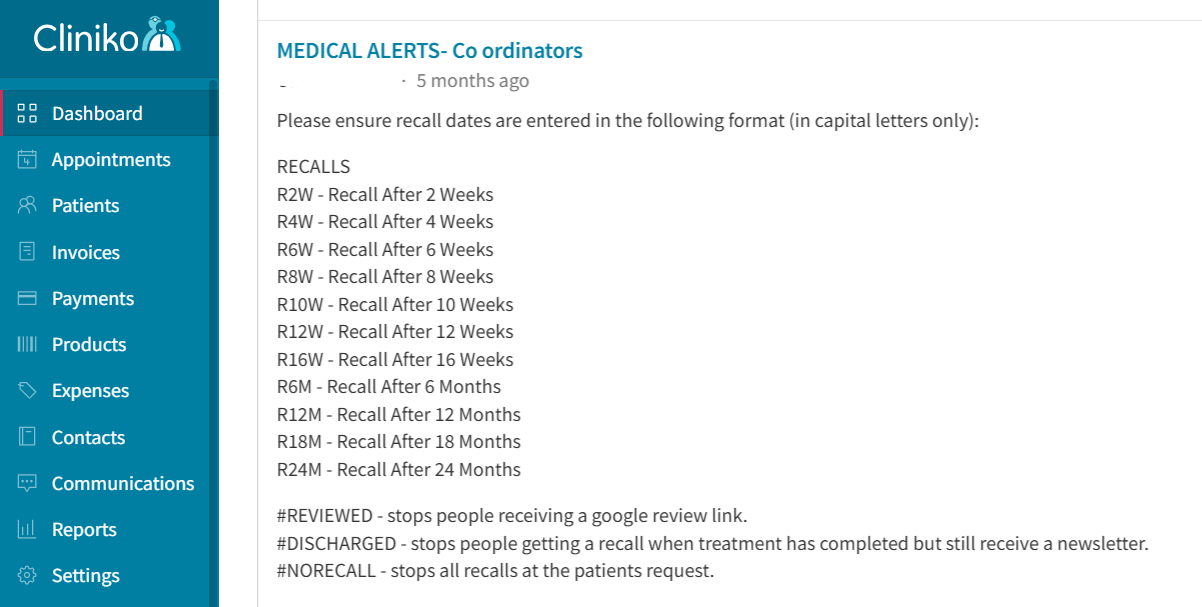
By default we have set up automations to recall and reactivate your patients at certain intervals - with the following codes:
RECALLS
R2W - Recall After 2 Weeks
R4W - Recall After 4 Weeks
R6W - Recall After 6 Weeks
R8W - Recall After 8 Weeks
R10W - Recall After 10 Weeks
R12W - Recall After 12 Weeks
R16W - Recall After 16 Weeks
R6M - Recall After 6 Months
R12M - Recall After 12 Months
R18M - Recall After 18 Months
R24M - Recall After 24 Months
#REVIEWED - stops people receiving a google review link.
#DISCHARGED - stops people getting a recall when treatment has completed but still receive a newsletter.
#NORECALL - stops all recalls at the patients request.
Recalls DO NOT have #'s
Commands have #'s
It is best practice to copy☝️ and paste ? theses codes to your Cliniko dashboard for reference.
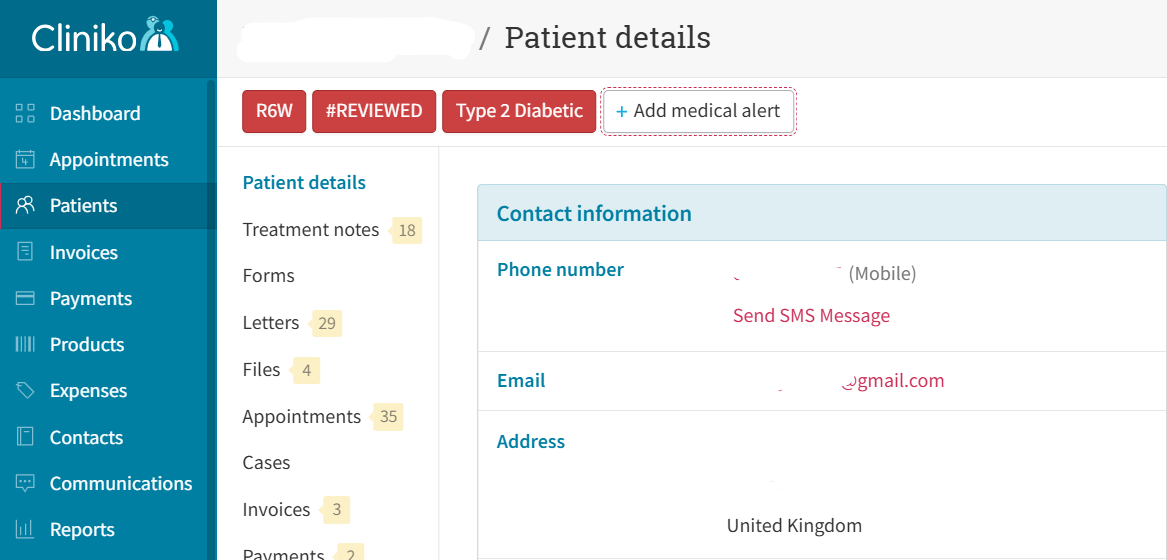
You can see in the example patient record below that the patient will:
- Recieve a 6 week recall (R6W)
- Not receive a Google review request (#REVIEWED) as they have already left a review

NOTE - any other medical alerts i.e. Type 2 Diabetic is for your reference and will not trigger an action in Autopilot.
The recall and reactivation works best when you apply a recall code i.e. R8W even when a patient has rebooked as the workflow will not send a recall to any patient with an active Next Appointment Date.
However - should the patient cancel and forget to re-book or not rebook at all the workflow will send a polite appointment reminder 8 weeks after their Last Appointment Date.
Was this article helpful?
That’s Great!
Thank you for your feedback
Sorry! We couldn't be helpful
Thank you for your feedback
Feedback sent
We appreciate your effort and will try to fix the article