This step-by-step guide will walk you through exactly how to purchase and configure a new UK mobile phone number within your Practice Autopilot account. This number can be used for your AI Voice Agents (like Aimee), SMS marketing, and general clinic communications.
Step 1: Navigate to Settings
To begin, log into your Practice Autopilot account and select your sub-account (e.g., your clinic’s location).
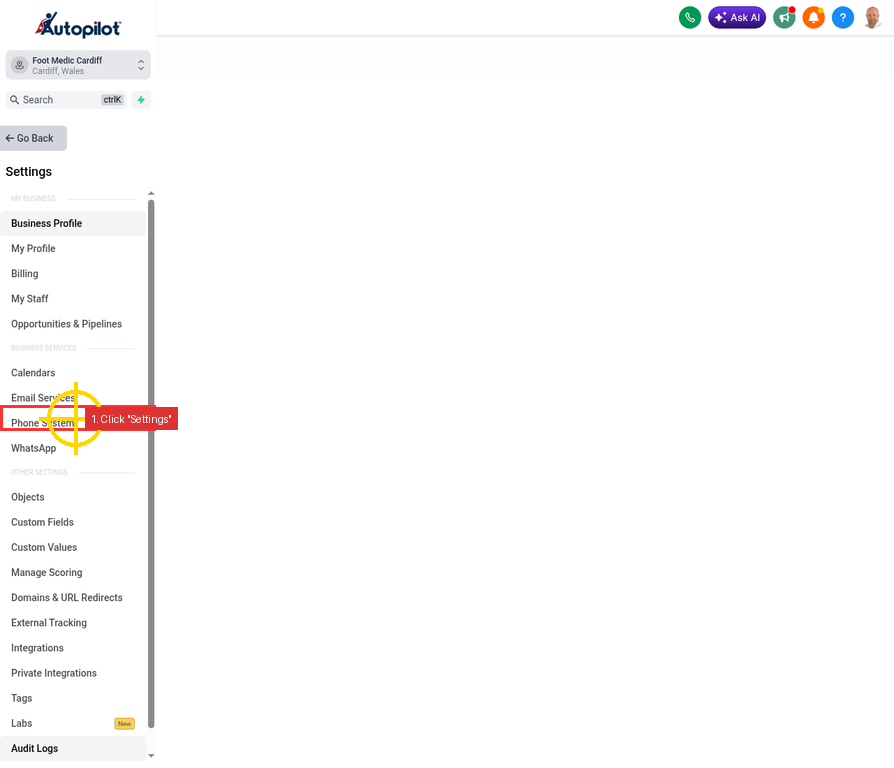
From the main left-hand navigation menu, scroll down to the bottom and click on Settings.
Step 2: Open the Phone System
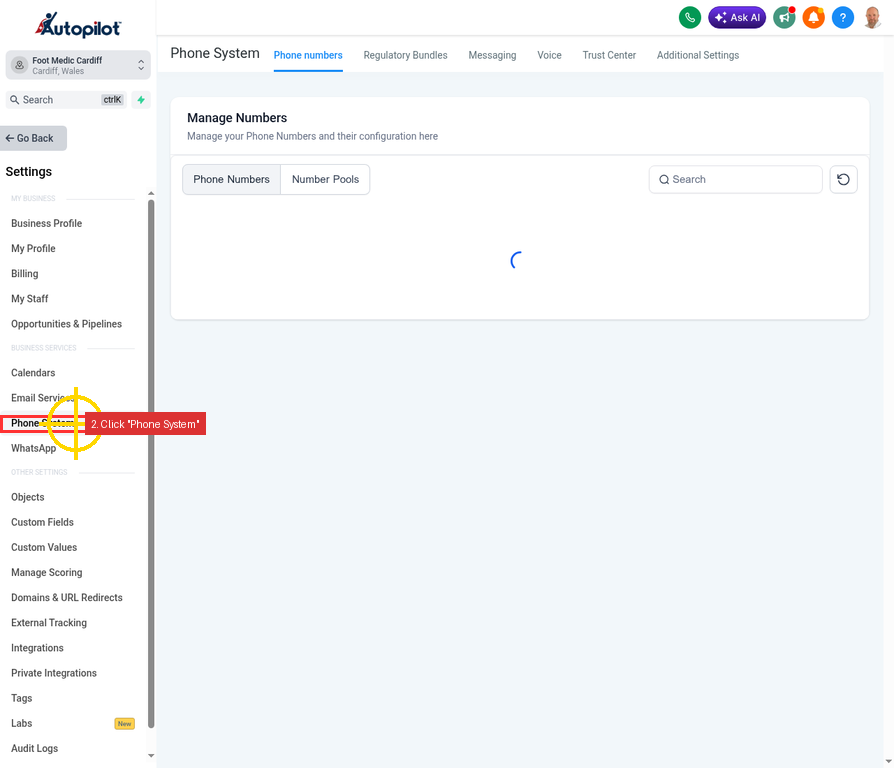
Once you are in the Settings menu, look for the Business Services section in the left sidebar.
Click on Phone System. This is the dedicated area for managing all your phone numbers, regulatory bundles, and voice settings.
Step 3: Add a New Number
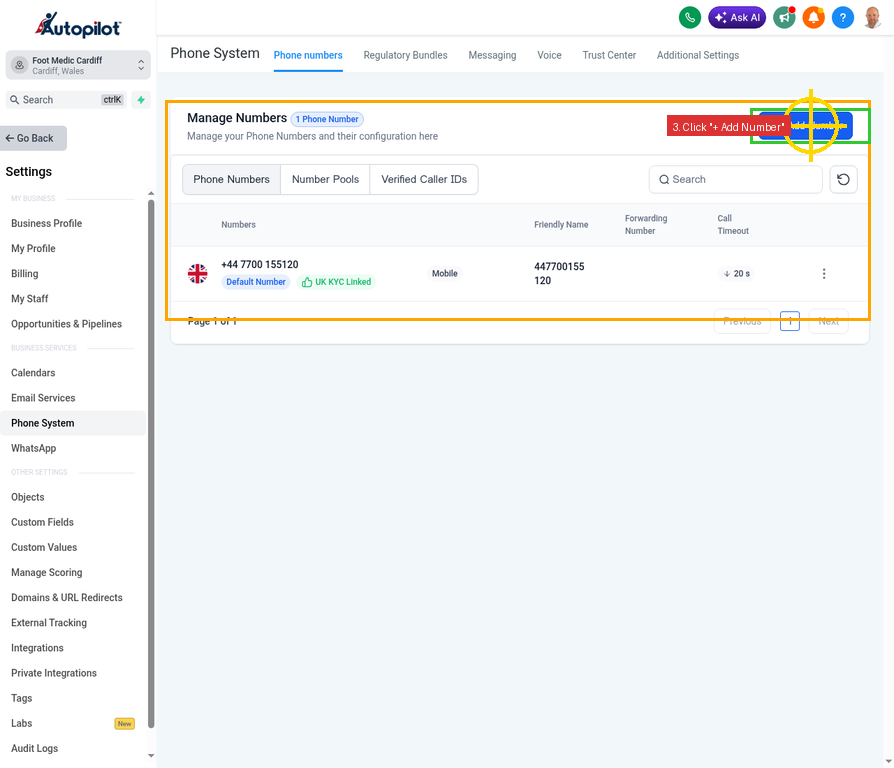
You are now on the Manage Numbers page. Here you will see any existing phone numbers associated with your account.
To purchase a new number, click the blue + Add Number button located in the top right corner of the screen.
Step 4: Select Number Type
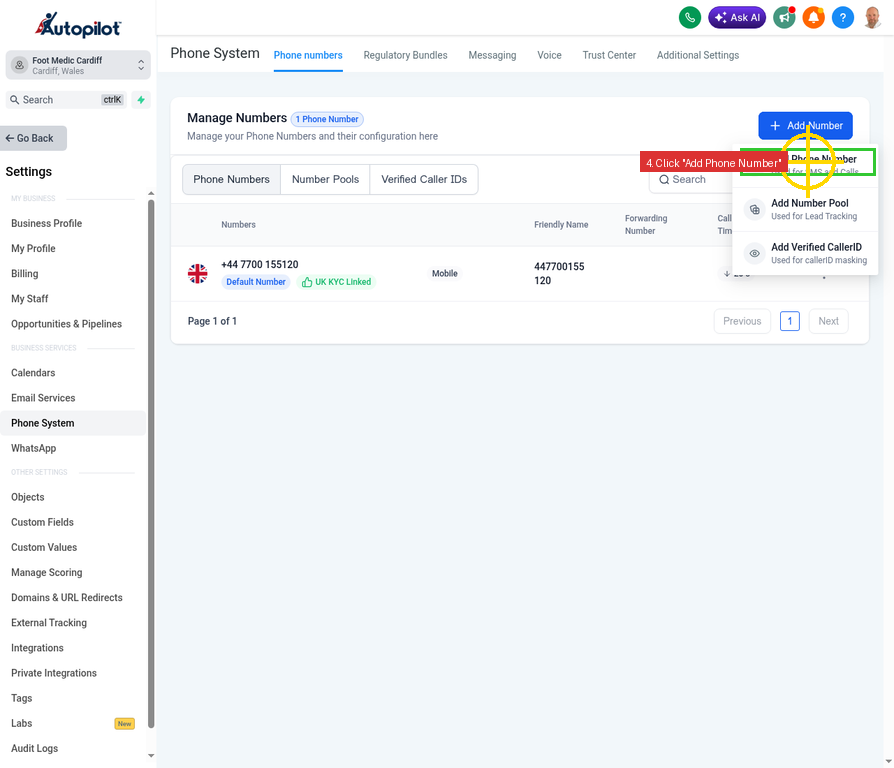
A small dropdown menu will appear when you click the Add Number button.
Click on the first option: Add Phone Number (Used for SMS and Calls).
Step 5: Choose Your Country
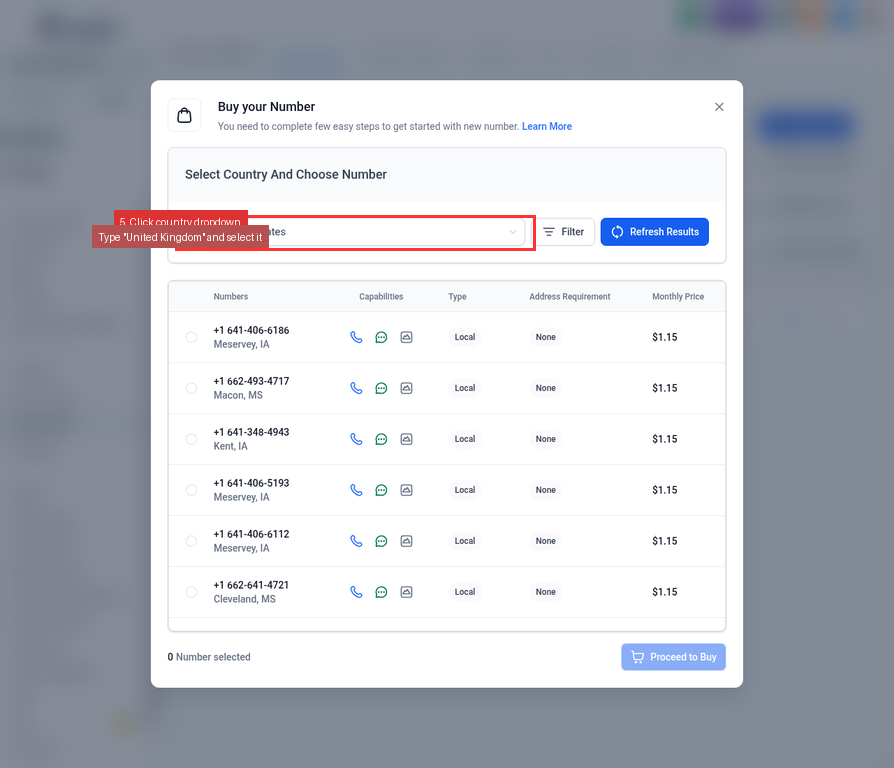
A modal window titled “Buy your Number” will appear. By default, the country might be set to the United States.
Click on the country dropdown menu, type United Kingdom, and select it from the list.
Step 6: Filter for Mobile Numbers
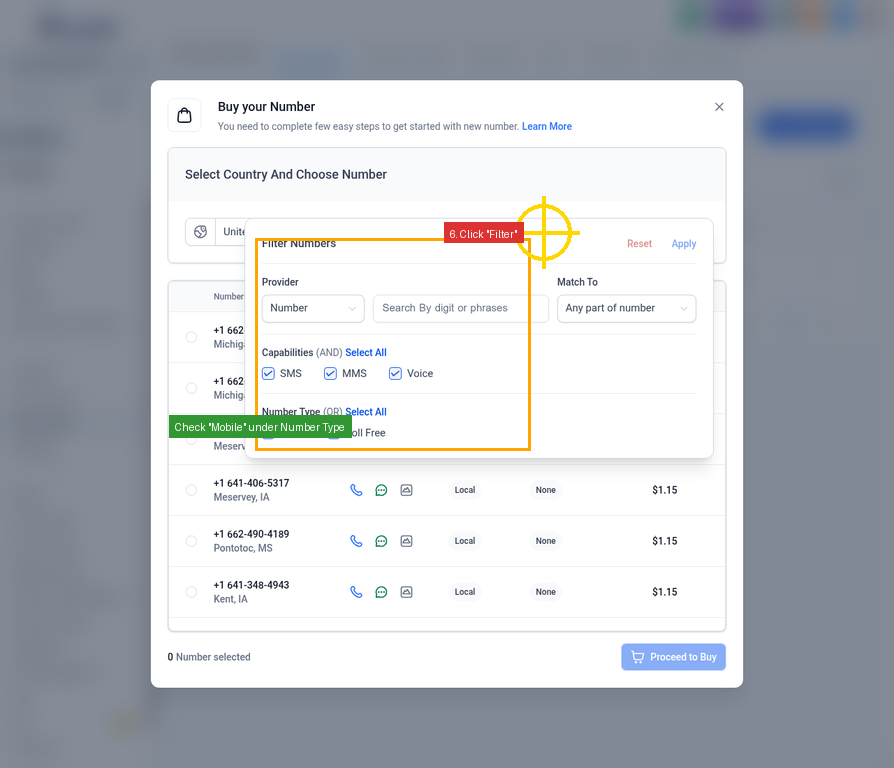
To ensure you get a mobile number (which is best for SMS deliverability and AI agents), you need to filter the results.
Click the Filter button next to the country dropdown. A filter panel will open. Look for the “Type” section and check the box next to Mobile.
Step 7: Refresh Results
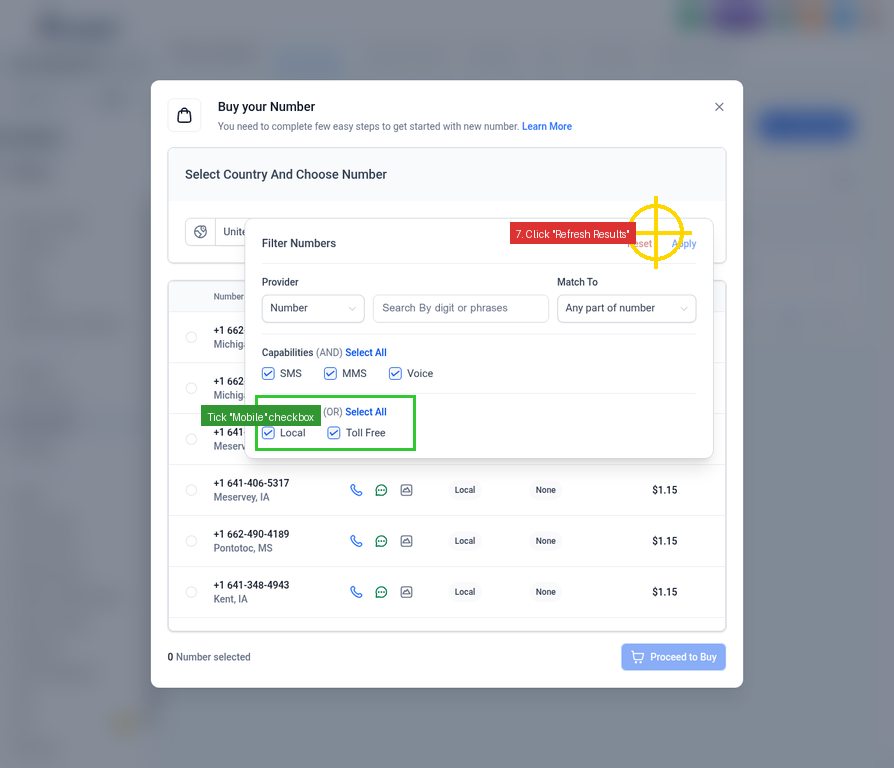
Once you have ticked the “Mobile” checkbox, click the blue Refresh Results button to update the list of available numbers.
Step 8: Select and Buy Your Number
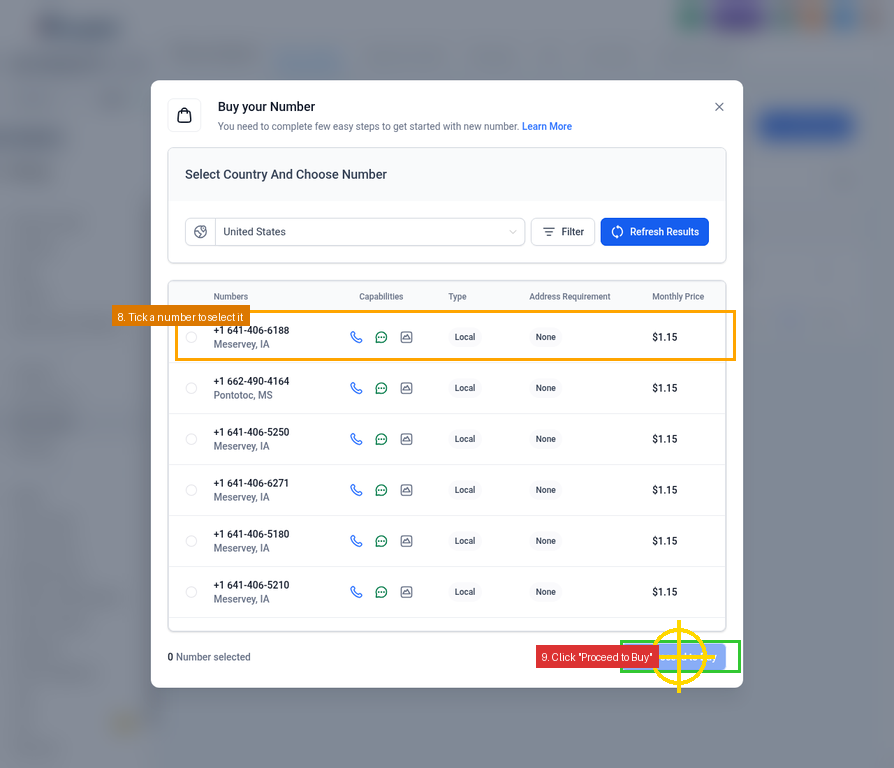
The list will now display available UK mobile numbers (typically starting with +44 7).
1.Review the list and find a number you like.
2.Tick the circle next to the number to select it.
3.Click the blue Proceed to Buy button at the bottom right of the modal.
Congratulations!
You have successfully purchased a UK mobile phone number. It will now appear in your Manage Numbers list.
You can now assign this number to your AI Voice Agent (like Aimee) by going to the AI Agents section, selecting your agent, and choosing this new number under the Phone & Availability tab.